
An escalation needs an owner, not a louder notification
Posting the same ticket into a busier channel doesn't establish responsibility. This worked example proposes a support escalation that stays open until a person accepts the next action.
Worked example. This is a proposed solution for a fictional operating scenario, not a client engagement. No measured results are claimed.

- The problem
- Urgent tickets generate repeated alerts while support and engineering each assume the other team is acting.
- The approach
- Create one escalation record, assign a duty owner and record acknowledgment independently from ticket resolution.
- Intended outcome
- The intended outcome is accountable escalation with less duplicate noise. No SLA or resolution-time improvement has been measured.
Example system roles Help desk · on-call roster · engineering tracker · team notifications
Define the clock with the support lead
Record the relevant start event, timezone, business-hours calendar and paused states. The support policy determines whether the timer measures first response, next response or resolution. Different clocks should not feed the same escalation threshold.
Use native help-desk SLA and routing features where they fit. Zendesk documents that time-based automations run hourly, so don't design a minute-level response commitment around that mechanism. Check the selected platform's current timing and plan constraints.
Urgency also needs a policy. A customer saying urgent may deserve attention, but it should not automatically override an established incident severity decision.
Proposed workflow
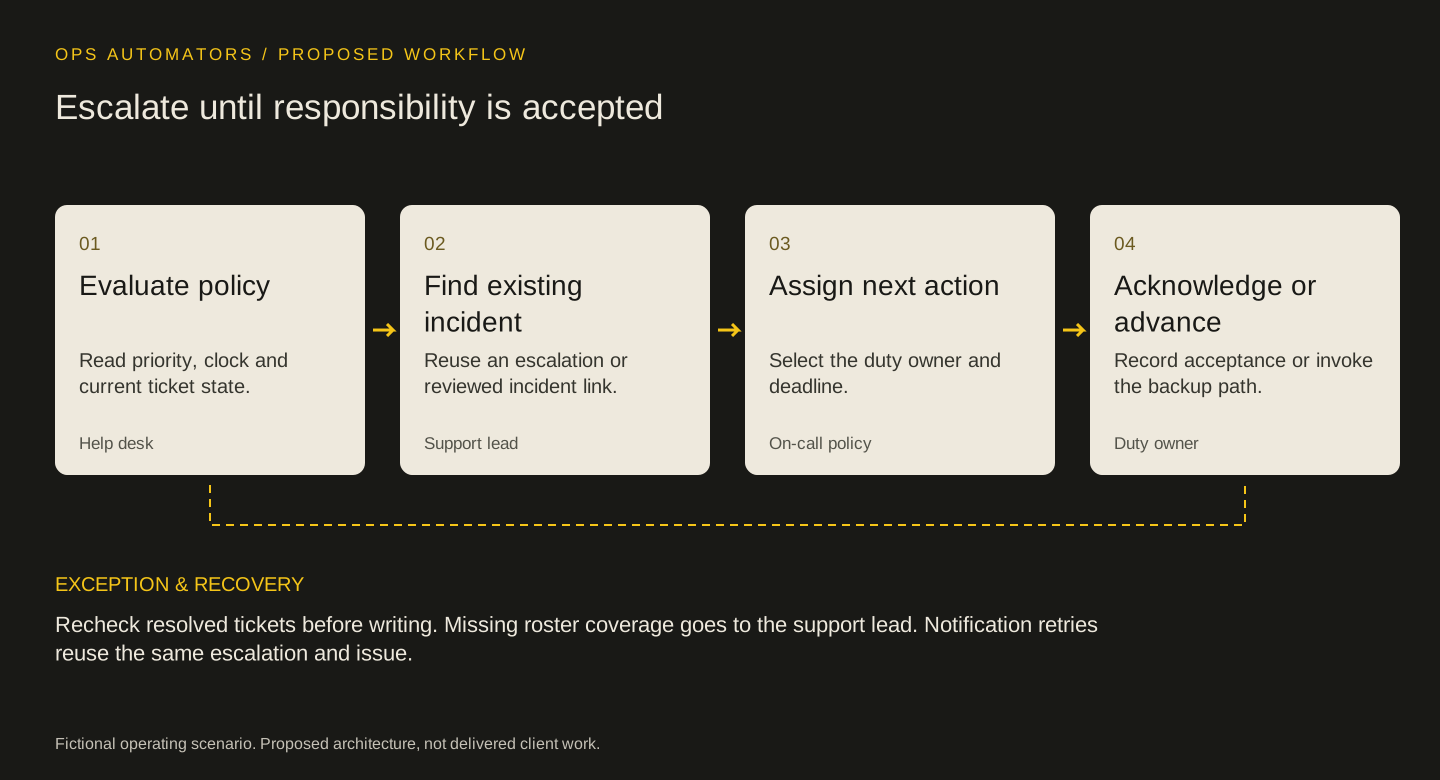
Escalate until responsibility is accepted
Evaluate policy
Read priority, clock and current ticket state.
Help deskFind existing incident
Reuse an escalation or reviewed incident link.
Support leadAssign next action
Select the duty owner and deadline.
On-call policyAcknowledge or advance
Record acceptance or invoke the backup path.
Duty owner
Recheck resolved tickets before writing. Missing roster coverage goes to the support lead. Notification retries reuse the same escalation and issue.
Create one escalation and make acceptance visible
Use ticket_id plus escalation_level or incident reference as a stable business key. Store the triggering condition, current support owner, duty owner, next-action deadline and engineering issue ID if one exists.
The duty owner acknowledges through the system of record. A notification link should open that record. If the owner doesn't acknowledge within the agreed policy, advance to a defined backup rather than broadcasting to everyone.
Before updating a ticket, re-read its current state. A customer reply or resolution that arrived during evaluation can make an escalation obsolete. Retain the decision history even when the escalation is canceled.
Handle clusters and partial failures
If several tickets describe one incident, link them to a reviewed incident record instead of creating an engineering issue for each customer. Support still owns each customer conversation; the incident owner manages the shared technical work.
If engineering issue creation fails, keep the escalation open with its owner and retry using the stored key. If notification delivery fails after issue creation, retry the notification without creating another issue.
The roster must have an operator. A holiday or an inactive account can otherwise turn a correct rule into an unattended queue. Review unacknowledged escalations and missing duty coverage at handover.
A handover view should include owner, acknowledgment state, next action and linked incident. Test that a replacement duty owner can continue without access to the previous person's private messages.
Measure the part the workflow controls
Pilot with a resolved ticket that receives a late event, an incident with several linked tickets and an unavailable duty owner. Record decision time, acknowledged time and resolution time separately.
An escalation design may improve visibility while technical resolution remains slow. Report that honestly. If a smaller native rule covers the queue, it may be a better choice than another integration.
Keep this part
Escalation decision matrix
The escalation is useful when the next action has been accepted by a person.
| Situation | Action | Completion evidence |
|---|---|---|
| Eligible ticket; no escalation | Create owned escalation | Record ID and next-action owner |
| Known shared incident | Link to incident | Reviewed incident ID |
| Owner has acknowledged | Stop repeat acceptance alerts | Acknowledgment timestamp |
| Owner unavailable | Use defined backup | New owner and decision reason |
| Ticket resolved during evaluation | Cancel pending escalation | Current status and cancel reason |
| Notification failed | Retry delivery only | Existing escalation ID retained |
Use the example to agree the rules, then fill in the blank sheet with your own records and owners. Downloads are free; no email required.
Evidence & limits
How to evaluate the proposal
For a defined severity cohort, measure escalation-to-acknowledgment time, unowned escalations and duplicate engineering issues. Record clock policy and coverage hours. Keep resolution time separate from acknowledgment.
- Actual service commitments and coverage windows must be defined by the support organization.
- A notification cannot substitute for staffed response capacity.
Sources & implementation context
- Zendesk: how automations work
Documents hourly execution, state rechecks and conditions that prevent repeat actions.
The design decisions and worksheets are original worked-example material. Vendor documentation supports specific platform behavior, not a claim that this implementation has been delivered.
How this page was prepared
AI assisted the research, drafting and conceptual artwork, helping compare source material and turn the workflow into a reusable worksheet. The scenario is fictional and the design is a proposal. The stated sources and limitations define the evidence available. No independent expert review or client result is implied.
About the team commissioning this collectionContinue with the useful detail
Where this connects.


Your next step
Do urgent tickets keep returning to the same channel?
Bring the escalation policy and a redacted ticket history. We can map the clock, ownership and backup path.